

So, you have successfully signed up for a Velocity Trader live trading account and want to start on your trading journey. The first thing you need to do is deposit your funds. There are two very easy ways of doing this.
Firstly, you need to login to your Velocity Trader Account on Tradedesk with the credentials you used when you signed up for the account.
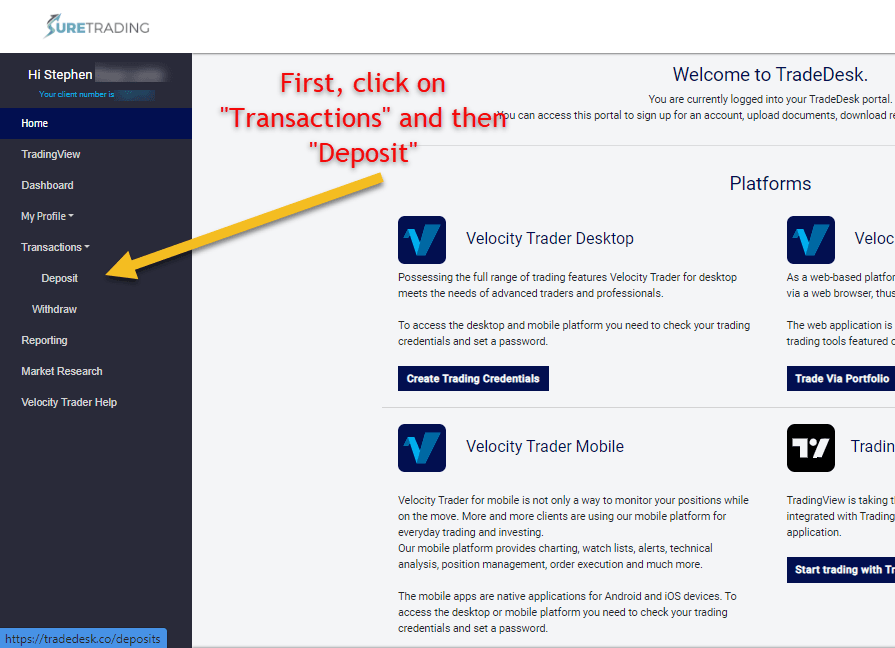
Once logged in, navigate to the left of your screen where you will find “transactions”. Click on this, and then on “deposit” in the menu that appears.
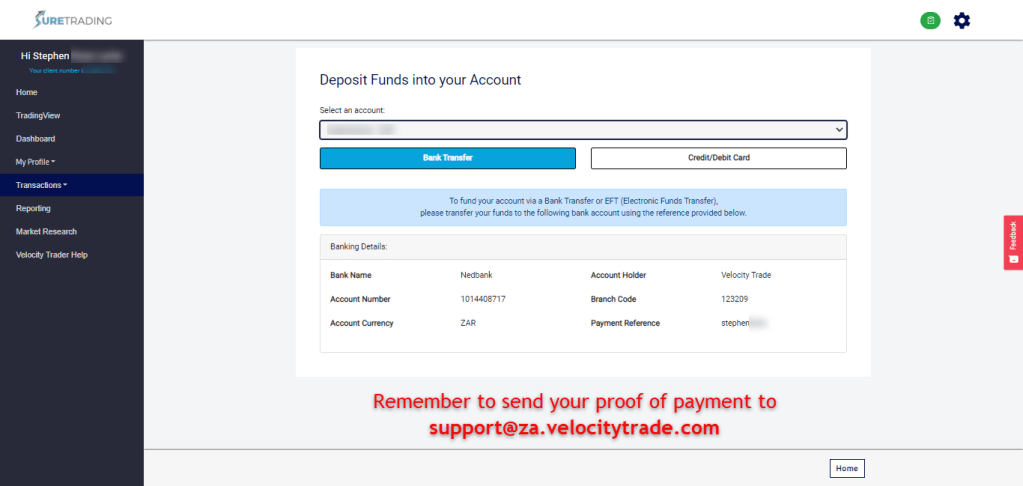
On the next window that appears you need to choose your account (if you have more than one). Once you have selected the account you would like to fund, you can either choose to deposit by Bank Transfer or by Credit/Debit Card.
Bank Transfer
All you have to do is do an electronic funds transfer into the account details provided using the payment reference that they give you.
NB: It is very important that you deposit the funds from the same bank account that you provided when you signed up!
Once you have made the deposit, email the proof of payment to support@za.velocitytrade.com for quicker processing.
Credit/Debit Card
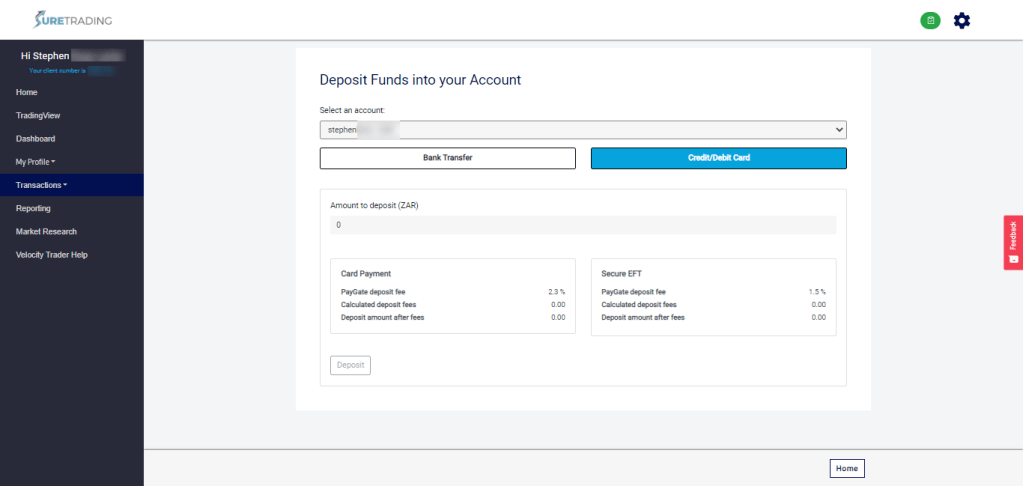
If you want your funds to reflect in your account immediately, you can use the credit/debit card facility.
Here, all you have to do is insert the amount you would like to deposit and click on “deposit”. This will then redirect you to a payment gateway where you will enter your card details just as you would with any other online purchase.
NB: It is very important that you deposit the funds from an account that has the same name as the name that reflects on your trading account!
There you have it! That’s how simple it is to fund your account and get trading.
If you have any problems with either of these processes, please don’t hesitate to contact us.
Happy Trading!

