
A couple of our clients have recently run into the problem where they are unable to set a stop loss order on certain instruments. The option to place one simply doesn’t appear. There is a very easy fix to this problem. Just follow these easy steps:
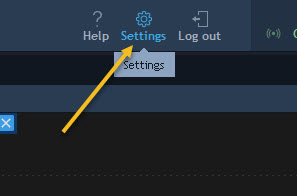
- Click on the “Settings” button on the top right of your chart screen.
2. In the window that opens, click on “Trading Defaults” on the left hand side and then make sure that the option “Use stop limit instead of stop” is unticked.

Once you’ve made sure that it is unticked, click on OK and your stop loss order should appear as normal.
There you have it, as simple as that.
Happy Trading!
 /Blog
/Blog 