
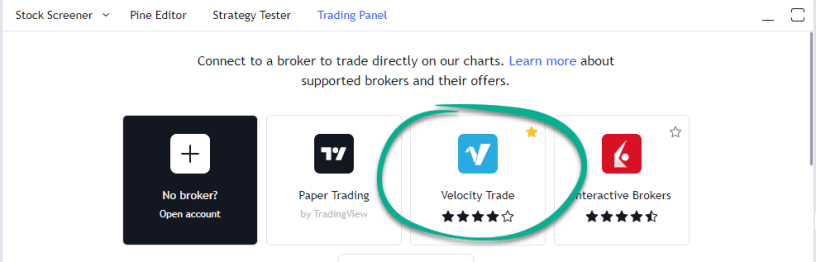
As you know, Velocity Trade has recently integrated with TradingView to allow its clients to trade all of the instruments that Velocity offers directly from the TradingView platform.
Being the world’s biggest trading community, it can sometimes be hard to find the correct instruments to trade on TradingView. This guide will show you how to find all of the Velocity Trade instruments on the TradingView platform.
- Open up any chart on TradingView.
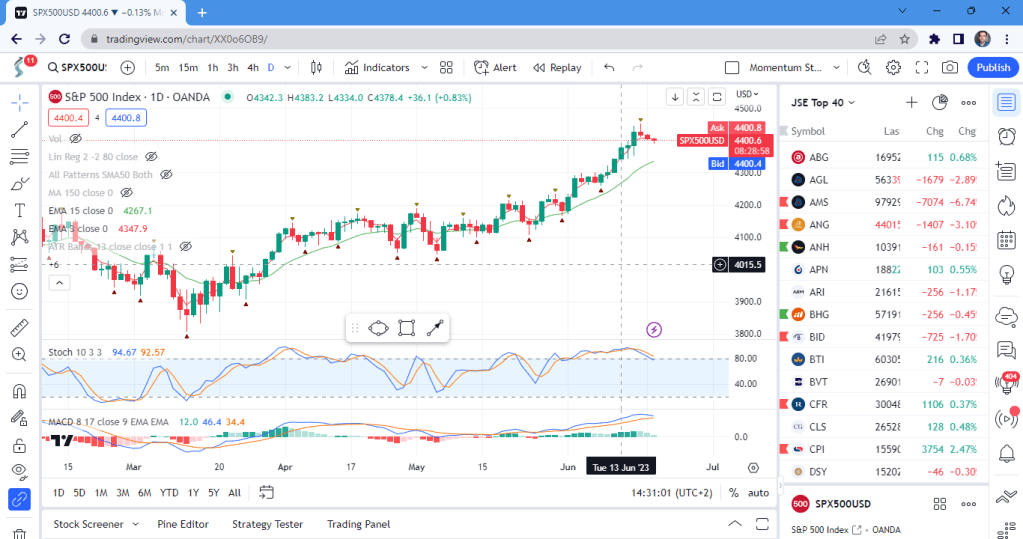
2. Click on “Trading Panel” at the bottom of the chart screen.

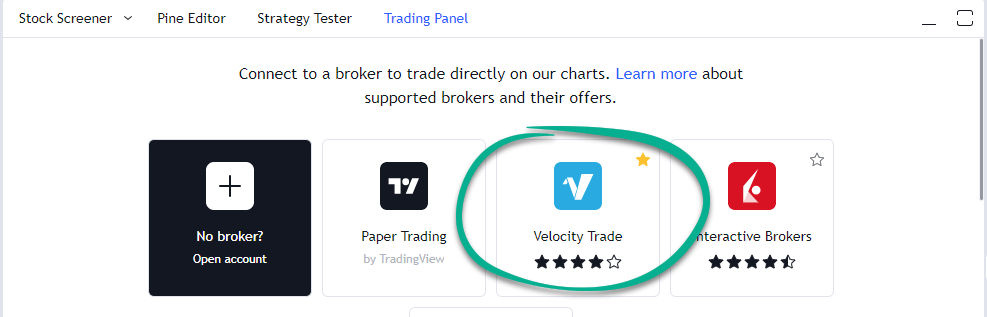
3. Locate the Velocity Trade button and click on “Connect”.
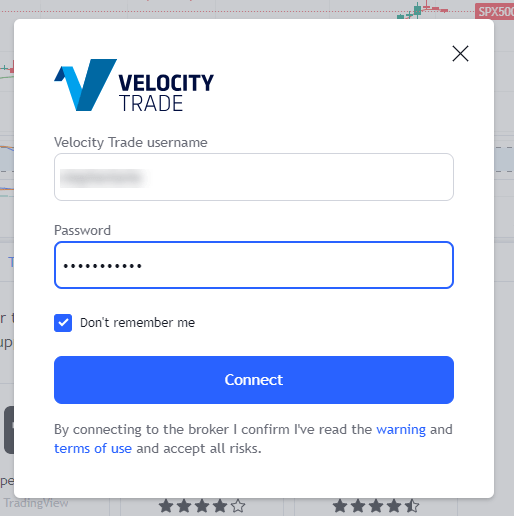
4. Type in the credentials that you would use to login to your normal Velocity Trader desktop platform and then click “Connect”
Your Velocity Trade account is now linked to TradingView.
5. Now click on the “Symbol Search” bar located at the top left of your chart window.
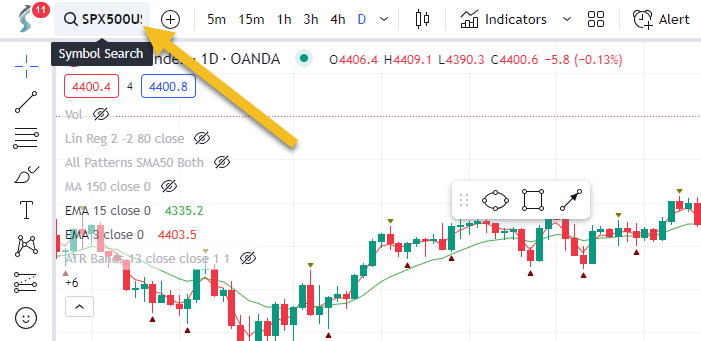
It will now show you all of the instruments that are tradeable through Velocity Trade. You can also search within this window to find exactly what you are looking for.
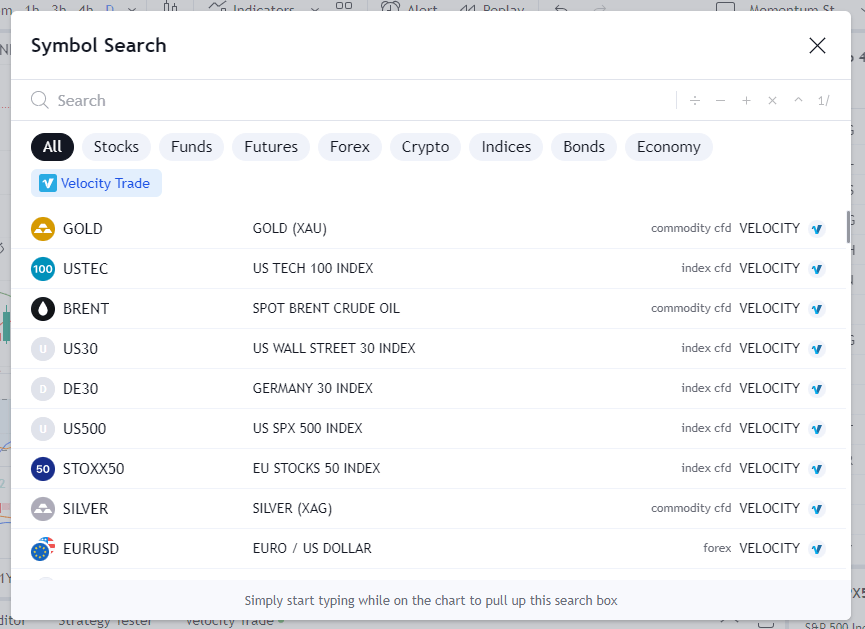
Now, because these instruments are only searchable when you are logged in to Velocity Trade, you may want to add them to a watchlist to be able to view them when your Velocity account is not linked. To do this, do the following:
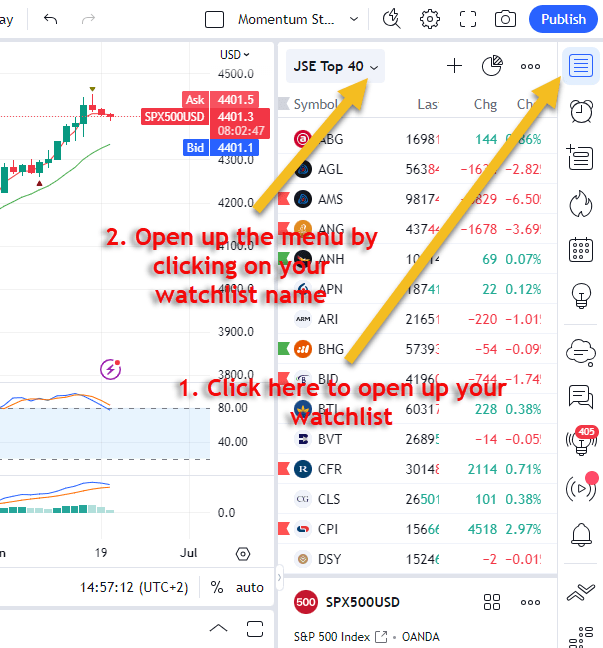
- Open up your watchlist (if not already there) by clicking on the watchlist icon. Once opened, click on the name of your watchlist to open up the dropdown menu.
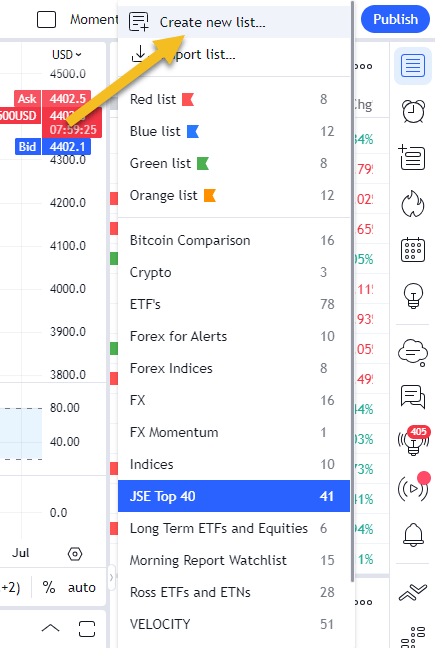
2. Create a new list and give it a name.
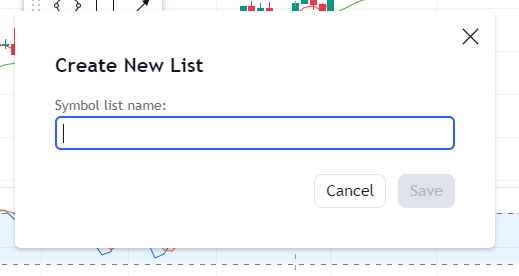
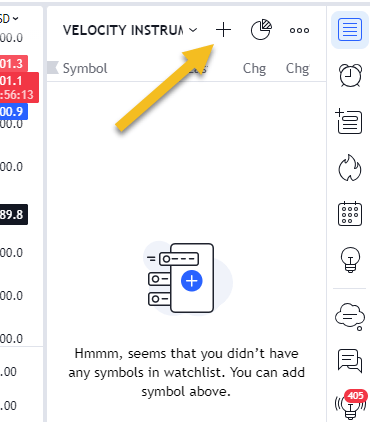
3. Once you have created your list you can now add instruments to it, by clicking on the ‘+’ at the top of the list.
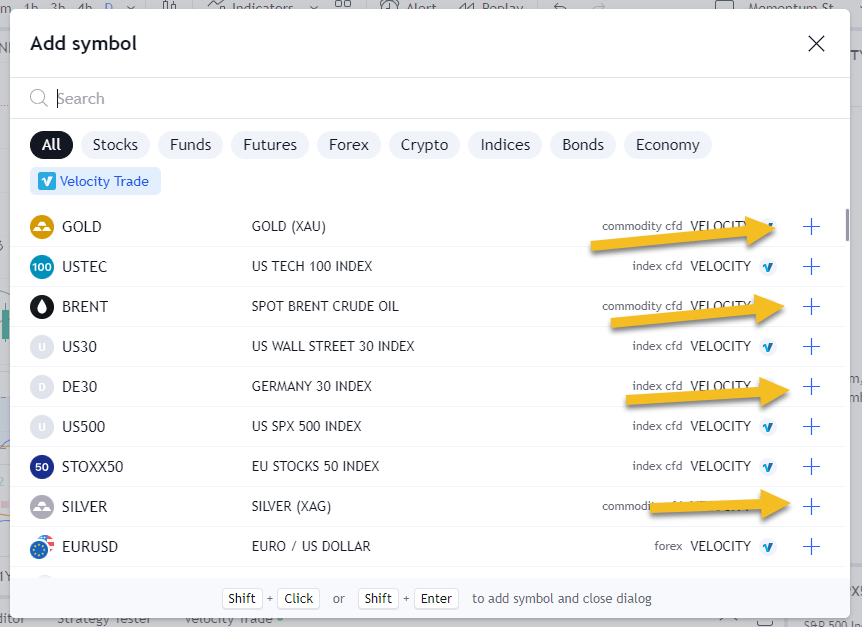
4. The Symbol Search window will now appear showing only the Velocity instruments. You can add the instruments you would like to your list by clicking on the ‘+’ to the right of each item. You can also search for what you are looking for in this window as before.
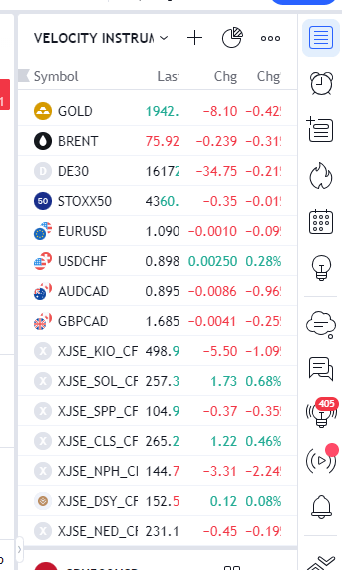
Once you have selected all of the items you want to add to your watchlist you can exit the symbol search window and they will now be in your watchlist for you to access whenever you want whether you are logged in with Velocity Trade or not.
We hope this guide has been helpful. If you struggle in any way please don’t hesitate to contact us.
Happy Trading.
 /Blog
/Blog 