

With Velocity Trade’s recent integration with TradingView you are now able to trade from your Velocity account directly through TradingView. This gives you the opportunity to use all of the indicators and tools that TradingView offers with the peace of mind that comes with trading through a trusted broker like Velocity Trade.
You don’t need a paid TradingView account to start trading – you can start with a free one. To open a free account follow these steps:
- Go to www.tradingview.com
- On the front page click on “Get Started”

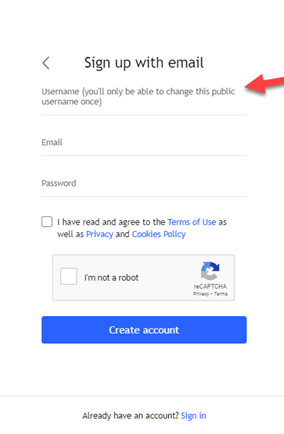
3. On the page that opens up, scroll down until you see the option: “try free basic”. Click on that.

4. Choose a username, enter your details and click “create account”.
Once you’ve created an account it is easy to link it to your Velocity Account by clicking on the “brokers” tab and selecting Velocity Trade from the list.
If you’d like to trade directly on TradingView through Velocity Trade, you can open an account here.
Visit our website on http://www.suretrading.co.za to find out more about our subscription service and other product offerings.
 /Blog
/Blog 