

There are many drawing tools available on the Velocity Trader platform. Once you have used the tools, you may want to adjust one or two of the parameters. You can do it by following these steps:
Clicking on the Drawing Tool icon will show the drawing tool bar on the left of your chart.


Draw the arrow by clicking, holding down, and dragging. To make any changes to the arrow, right click, and choose Settings

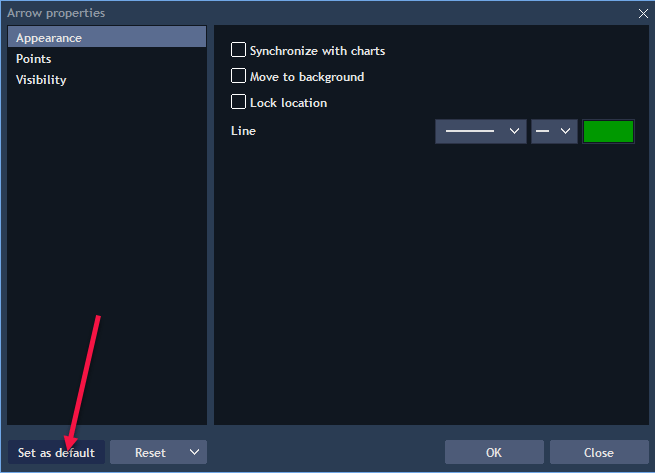
This is what will appear

To change the colour, click on the coloured block on the right, and choose your preferred colour. You can also choose a different look, and line thickness.
If you would like the drawing tool to always appear with your chosen settings, click on the Set as default icon.
You can do this with all the different drawing tools.
For more info on our subscription or mentorship packages please visit our website on http://www.suretrading.co.za
 /Blog
/Blog 