
If you’d like to change the colour of your volume bars on the Velocity Trader desktop platform, follow the instructions below.
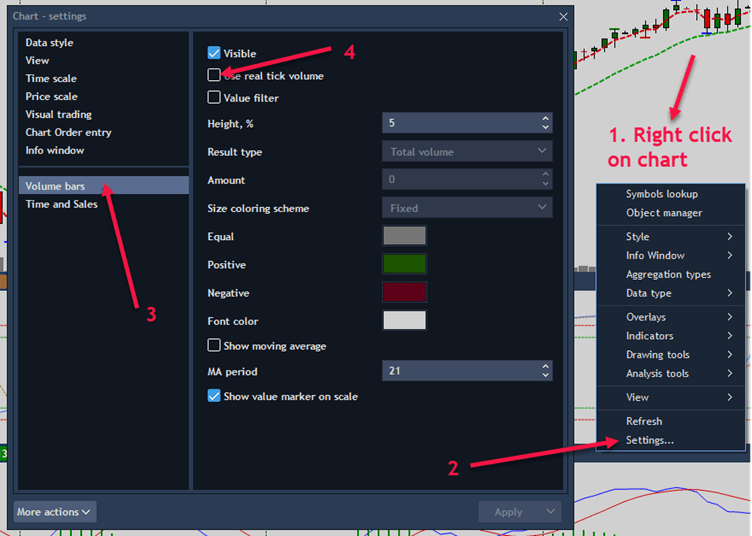
- Right click on a chart
- Click on Settings
- Click on Volume Bars
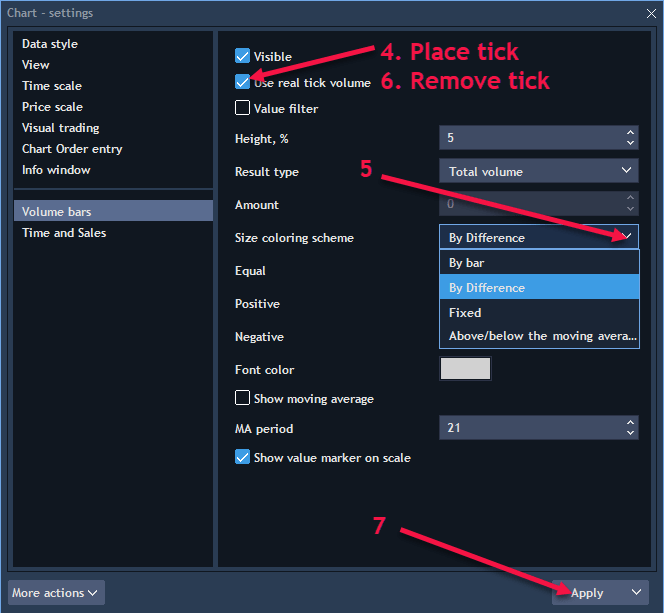
- Click to place tick on ‘Use real tick volume’
- Click on down arrow and choose ‘By difference’
- Go back and remove the tick
- Click Apply
If you would like to join our vibrant trading community visit http://www.suretrading.co.za for more info.
 /Blog
/Blog 